Case study · 2025
Better Safe
Better safe than sorry.
Better Safe is an augmented door-lock projection that lets users manage home security on the move. Instead of fumbling for a phone, the lock projects its interface — keypad, fingerprint, or quick tap — onto a nearby surface for fast, hands-free access, while green and red states keep the lock's status legible at a glance.
The problem
Smart locks asked users to trust an app — and a phone that might be dead.
Research with smart-home users surfaced a clear pattern: a projected AR door lock offers fast, hands-free access without needing a phone. Users found a projected display useful for seeing lock status, entering a PIN, or giving instructions to guests, and the experience felt modern and convenience-forward.
At the same time, real concerns showed up: how the projection holds up in bright daylight, whether others can see private input, and what happens if the device stops working. The biggest insight was that users wanted backup options — keypad, fingerprint, or a physical key — so a tech failure doesn't lock them out of their own home.
Device dependency
AR depends on phones, glasses, or headsets — devices that aren't always charged or in hand at the moment you need them.
Trust gap
Users were skeptical of digital locks, especially ones controlled by a visible AR overlay where input could be observed.
No power, no access
Without a fallback like a keypad, fingerprint, or physical key, a power outage or device failure locks the owner out.
Why it matters
A growing market, still short on trust.
Smart locks are past the early-adopter phase, but reliability — not features — is still what stops people at the door. The opportunity isn't a flashier unlock animation; it's proving the system won't strand you outside your own home.
Figures are illustrative, based on industry estimates and smart-home survey data on lock reliability concerns (Parks Associates, Statista, market research aggregators, 2025).
The user
Meet Jordan Kim.
Jordan is the connected-home early adopter Better Safe has to convince — sold on smart tech, but wary of trusting a dead phone battery with the front door.
Goals
- Streamline and secure home entry without relying on physical keys.
- Use technology that aligns with a modern, connected lifestyle.
- Give easy access to trusted guests — cleaners, friends, deliveries — without sharing a code.
- Try new tech that genuinely enhances convenience and home automation.
Frustrations
- Dislikes needing a phone in hand for every action.
- Worries about device or connectivity failures locking them out.
- Concerned about digital privacy and data collection via AR devices.
- Finds some AR interfaces unintuitive or slow for routine tasks.
What's the minimum a user needs to see to feel in control of the lock?
The question that shaped the projection's interface
The process · 01
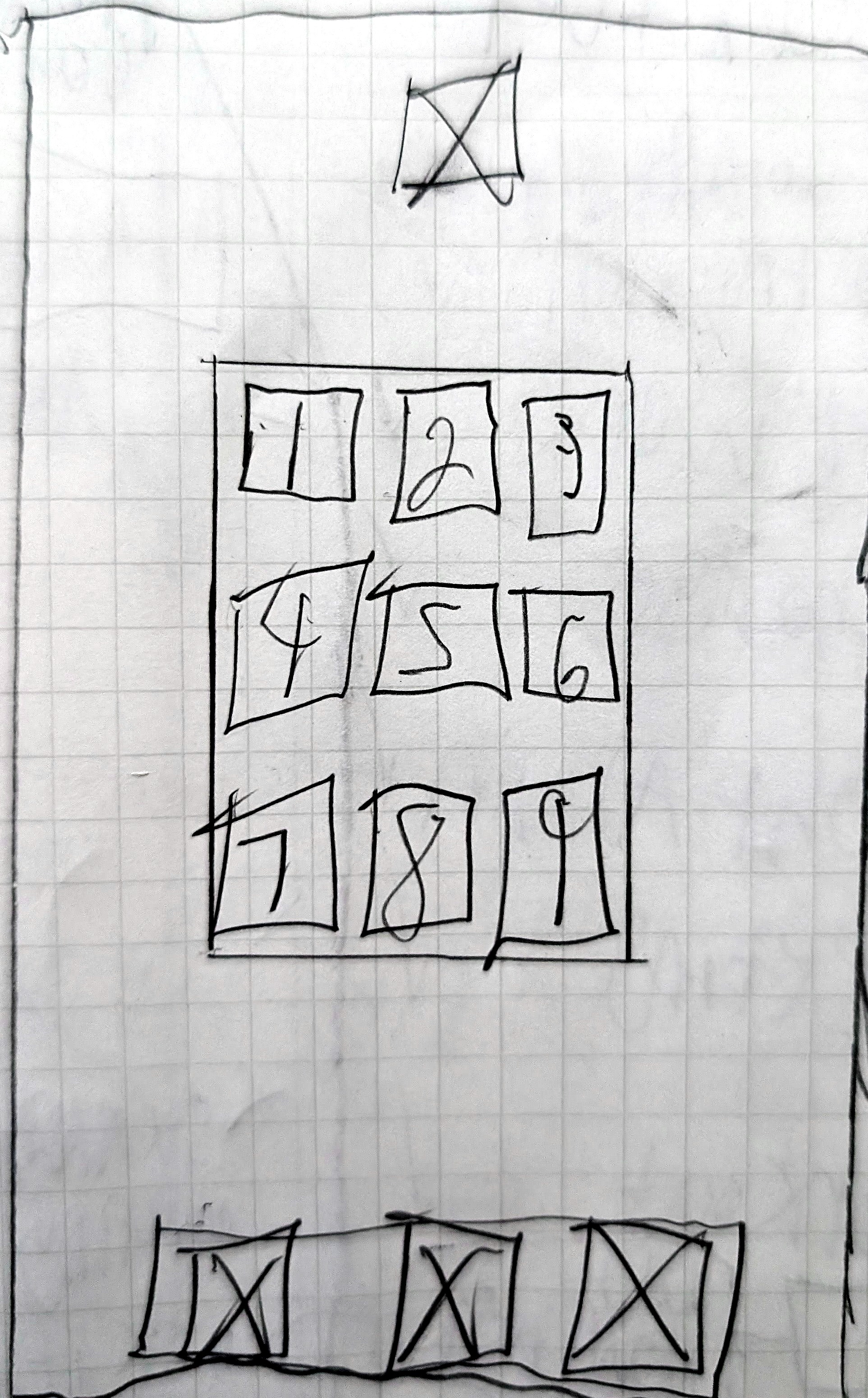
Started on paper.
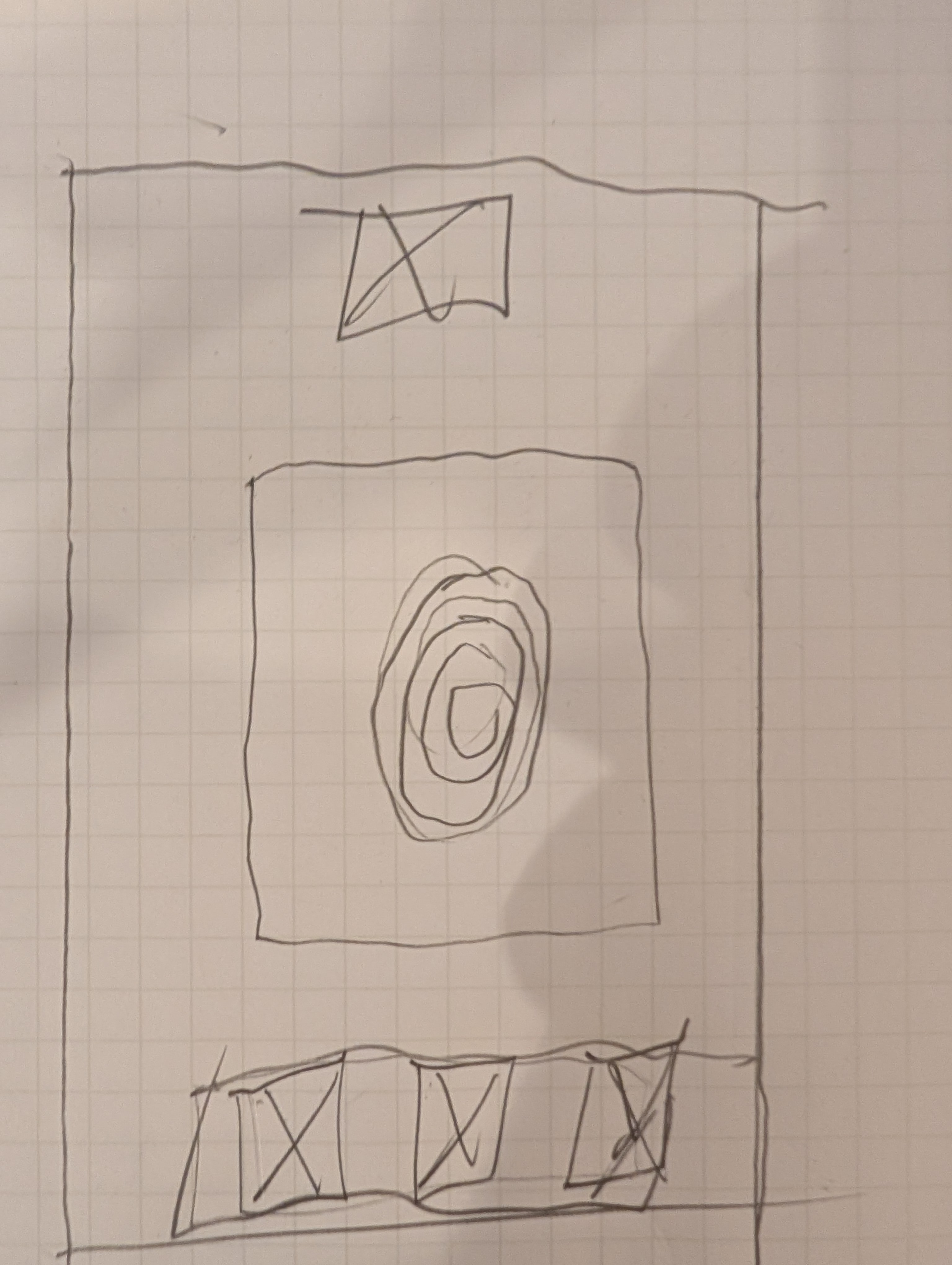
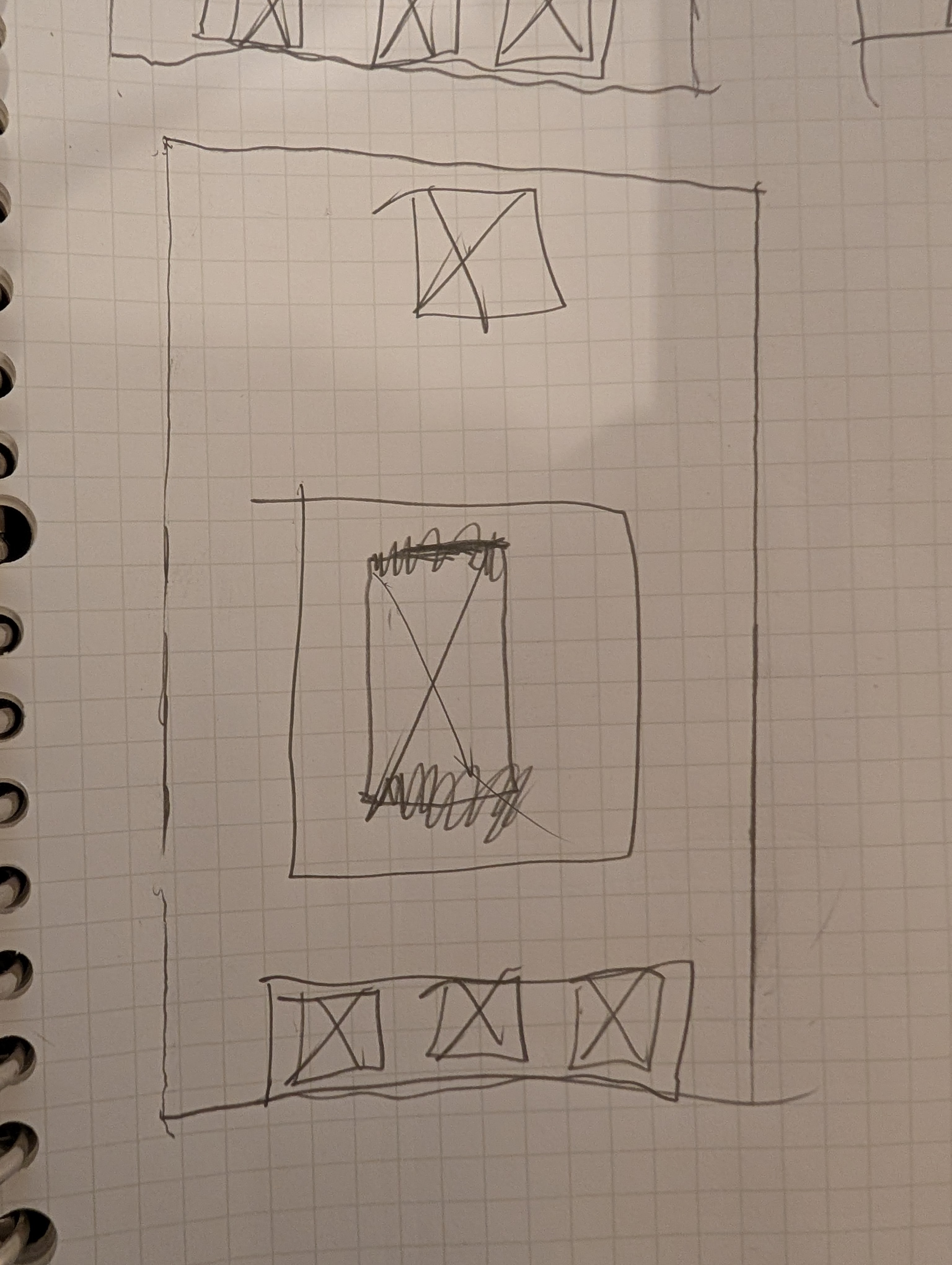
I sketched the two primary interactions — fingerprint and phone-tap — on paper first to keep the focus on flow, not visual polish. The question was: what's the minimum a user needs to see to feel in control of the lock? Paper kept iteration fast and made it cheap to throw layouts away when they didn't earn their place.
The process · 02
Translated to digital.
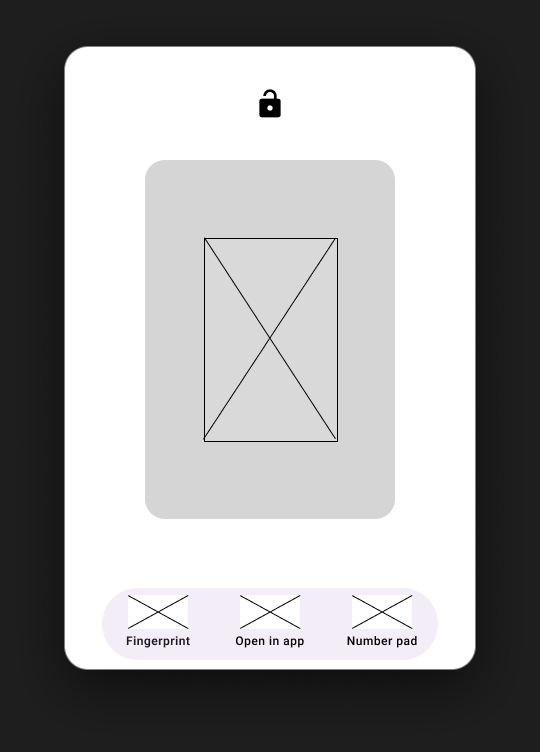
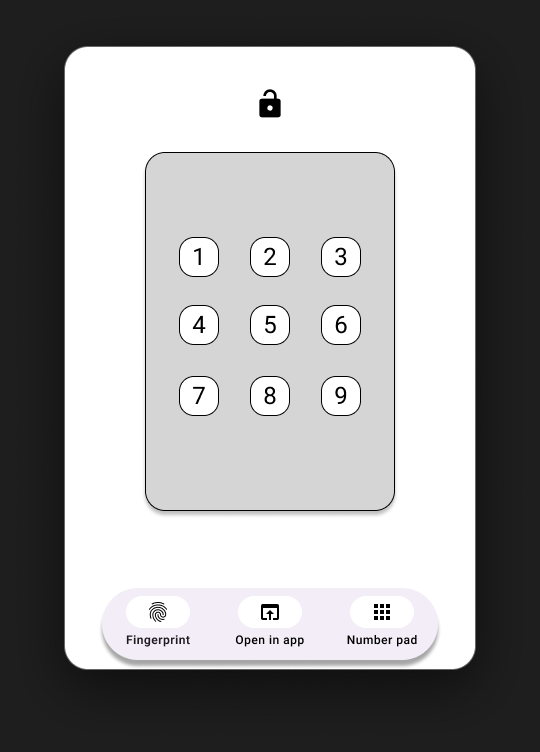
The digital wireframes locked in the structure that survived from paper: a single primary display area for input, three persistent fallbacks across the bottom — Fingerprint, Open in app, Number pad — and a lock icon at the top that doubles as the live status indicator.
 1
2
3
1
2
3
- 1Live status indicator — the lock icon doubles as lock/unlock state.
- 2Fingerprint scan area — the primary input for this mode.
- 3Fallback bar — Fingerprint · Open in app · Number pad, always present.
 1
2
3
1
2
3
- 1Live status indicator — the lock icon doubles as lock/unlock state.
- 2Number pad — the PIN-entry input for this mode.
- 3Fallback bar — Fingerprint · Open in app · Number pad, always present.
The process · 03
Low-fidelity prototype.
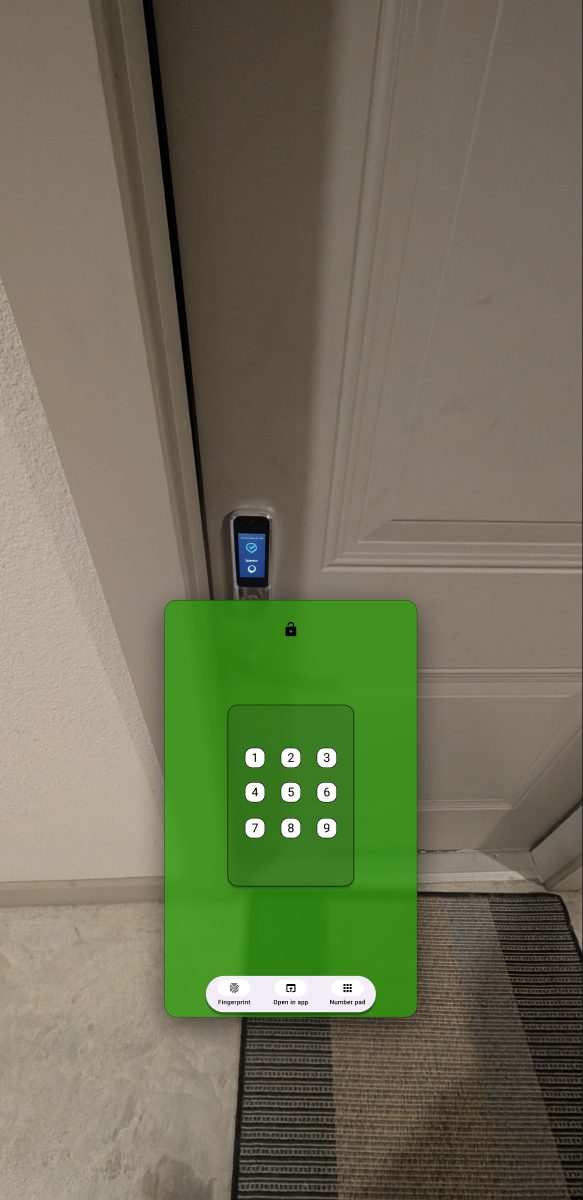
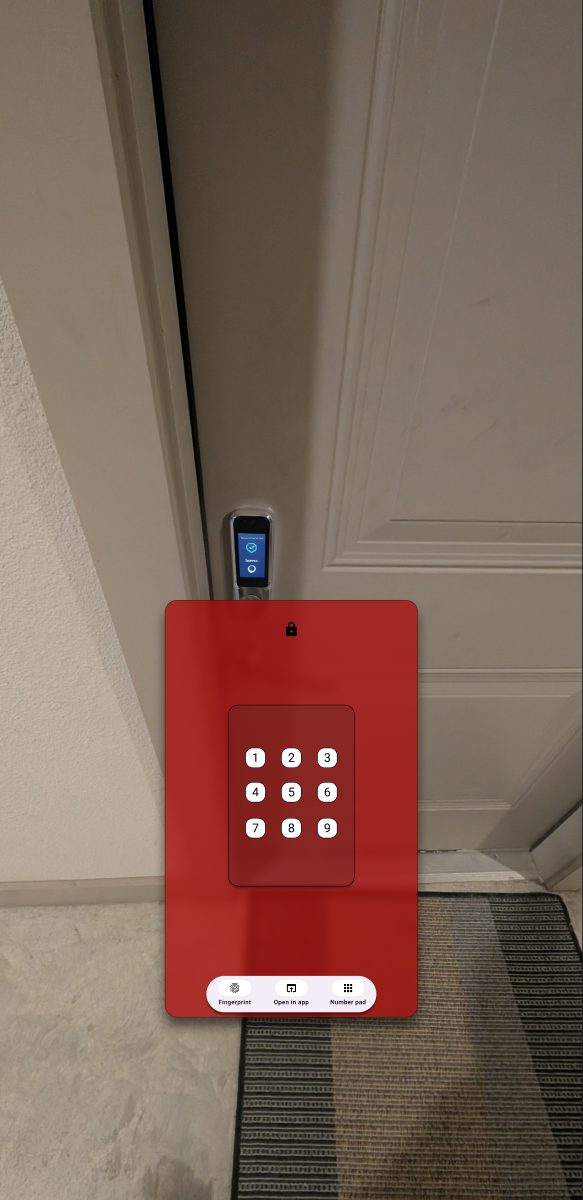
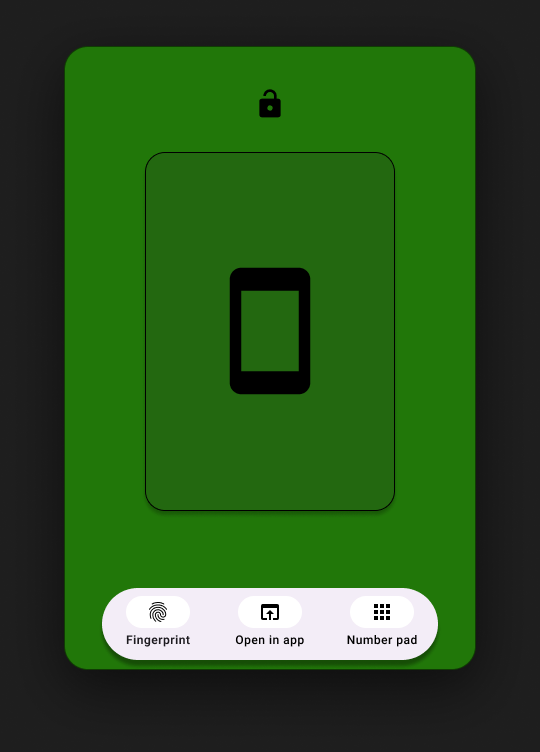
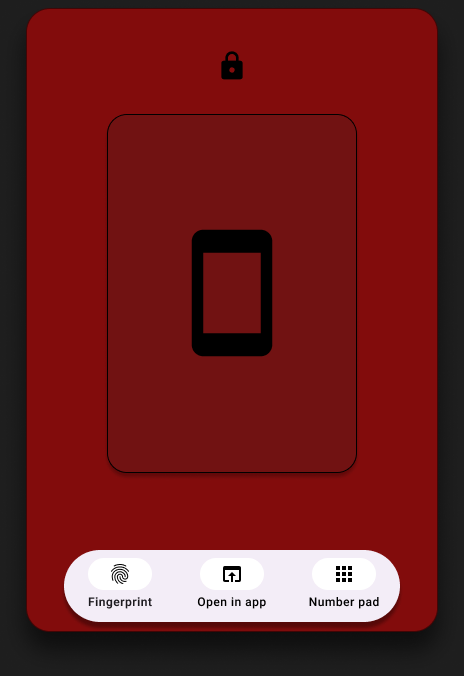
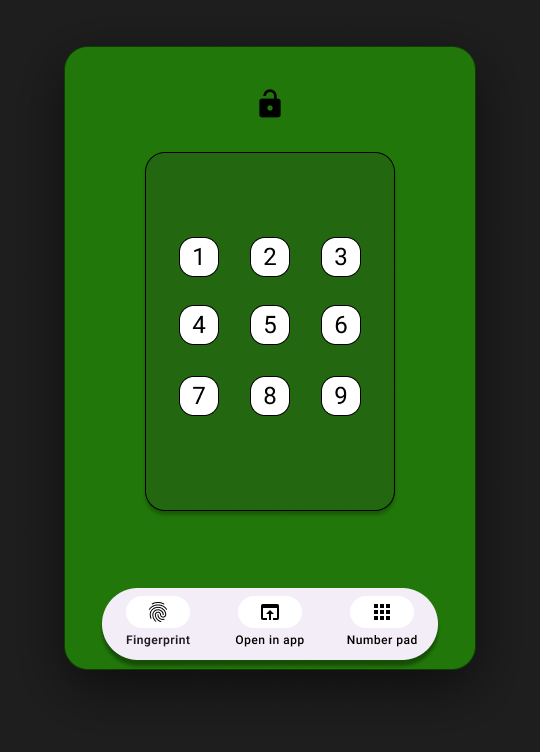
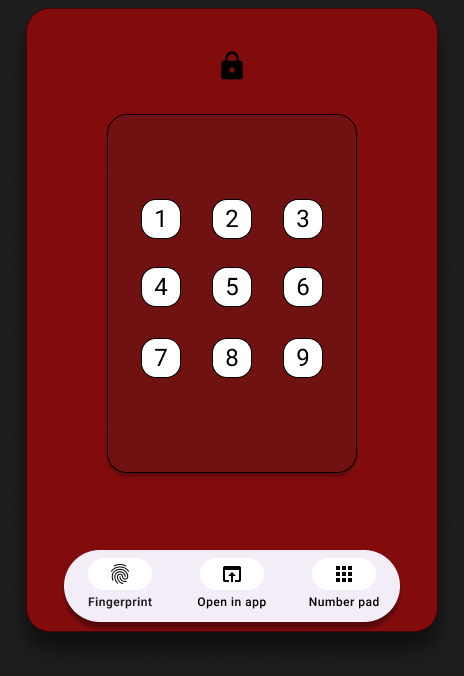
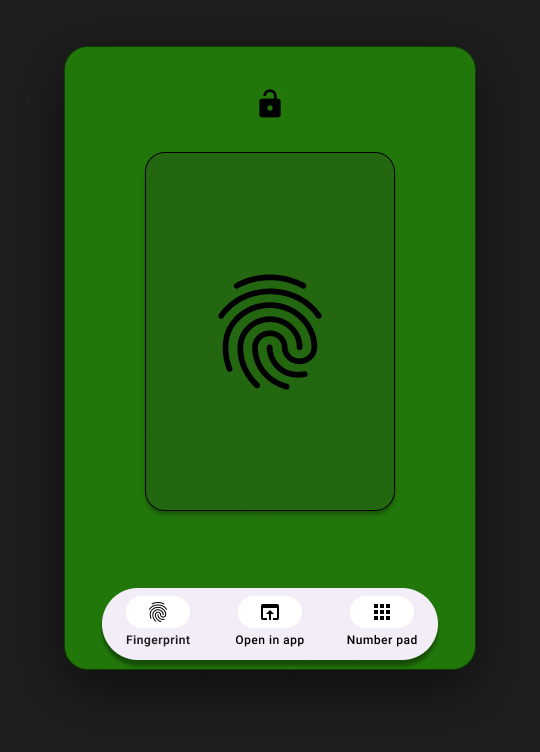
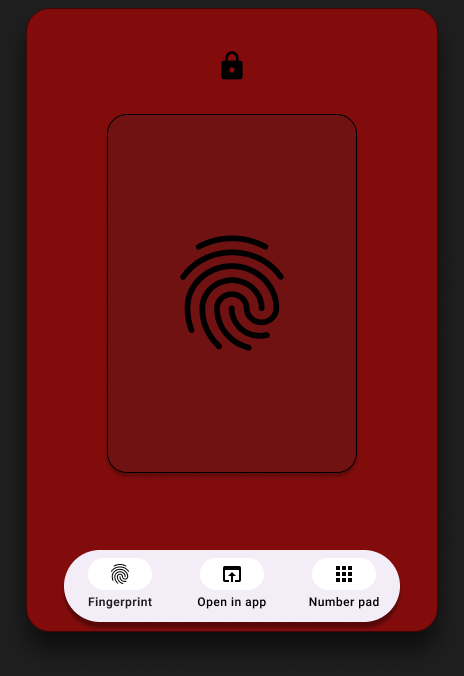
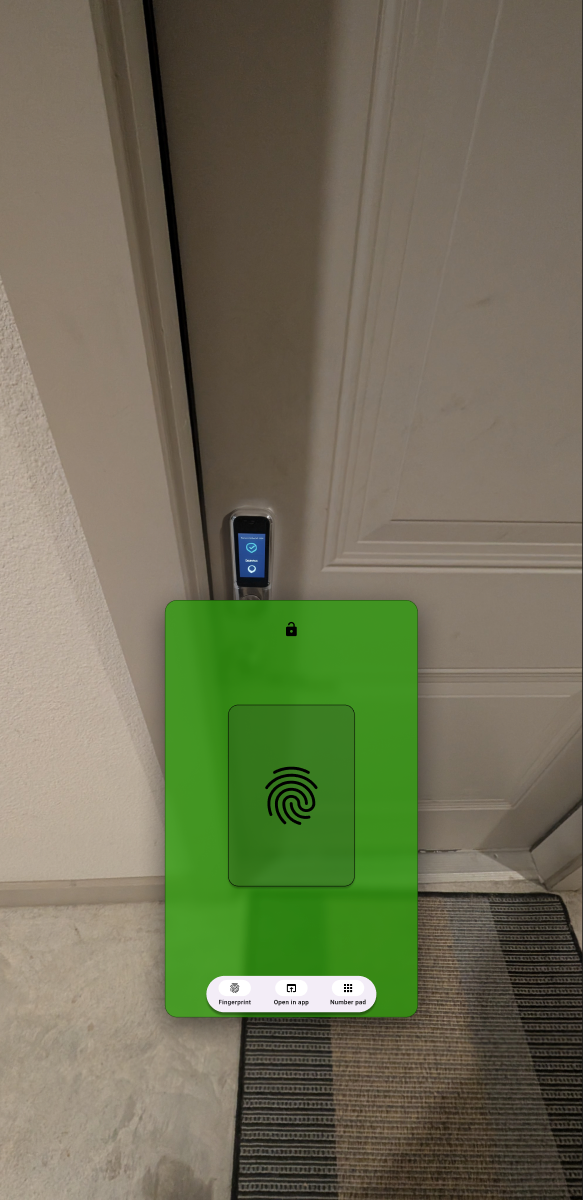
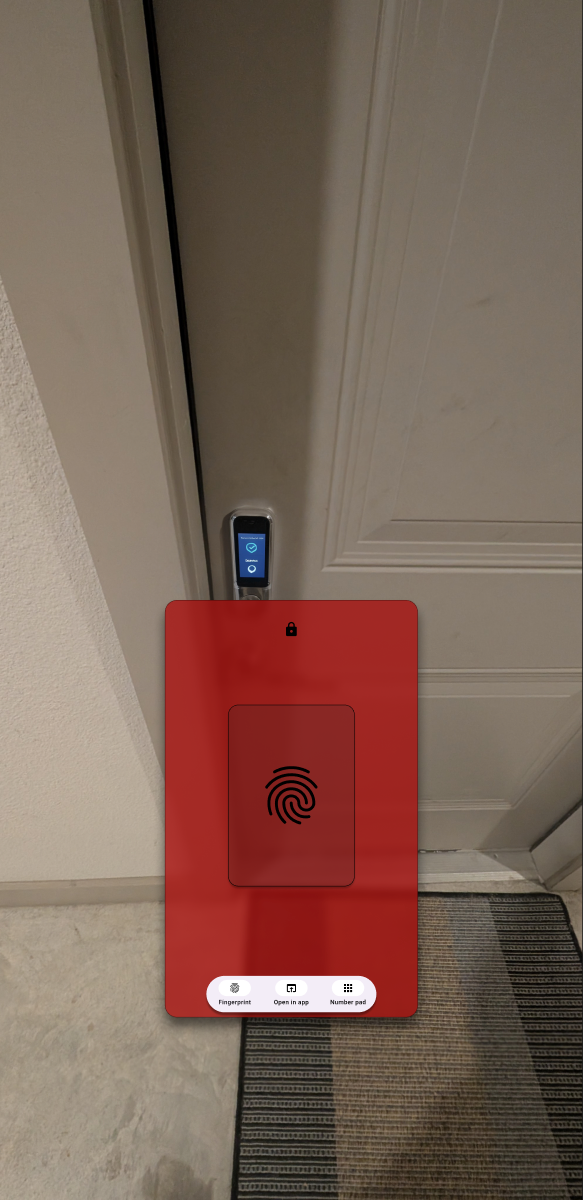
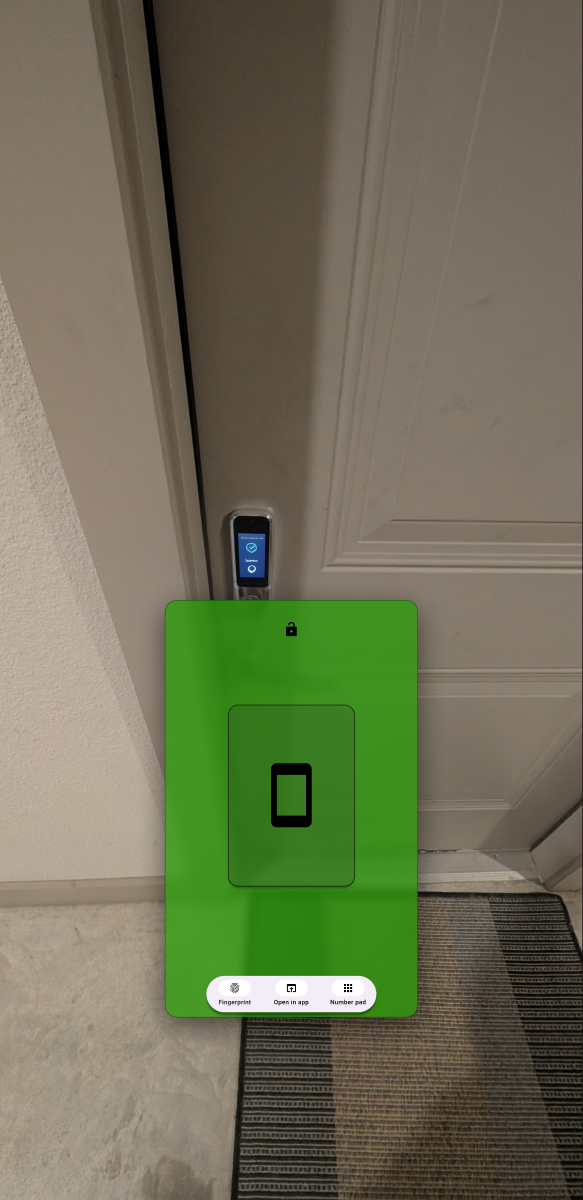
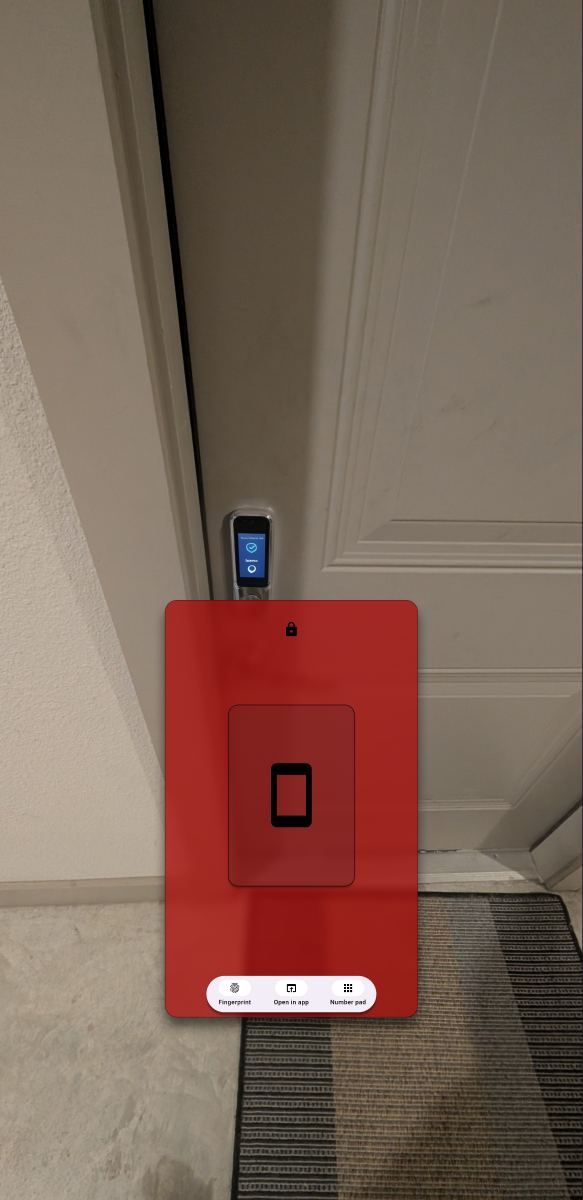
Color did most of the heavy lifting in the lo-fi pass. Green signals unlocked, red signals locked — the same color logic on every screen so the system stays legible across the three input methods. Three interaction modes (phone tap, keypad, fingerprint) × two states (lock / unlock) gives six total screens with one consistent design language.
The process · 04
The final mockup, in context.
Color-coded screens prove the logic works, but the whole idea is a projection onto a physical door — so the final mockups place each mode against a real door and lock, not a blank background. Same six screens, same green/red logic, now showing what a user actually sees standing in front of their own door.
Try it
Interactive prototype.
The live Figma prototype lets you tap through the three input modes (fingerprint, phone tap, keypad) and toggle each between locked and unlocked states. Opens in a new tab — no login required.
Open the live prototype
Three input modes · two lock states · the full flow.
Reflection
What worked, what I'd do differently.
What worked
Designing three parallel input modes — phone tap, keypad, fingerprint — directly answered the research finding that users wouldn't trust a single point of failure. Each mode reuses the same status indicators and bottom-bar fallbacks, so users only learn the system once. The green/red color logic was a small decision that did a lot of work for at-a-glance comprehension.
What I'd revisit
Projection legibility in bright daylight stayed an unsolved problem on screen — I addressed it conceptually with high-contrast color but never tested it on a real doorstep. A round of contextual interviews on actual front porches, in different lighting and weather, would tighten the contrast model and tell us whether the projected interface needs adaptive brightness or a fallback to a physical readout.