Case study · 2025
Zia Pizza
The heart of your local pizzeria, at your fingertips.
Zia Pizza is a mobile ordering app for a local pizzeria — built around speed, customization, and trust. The product lets customers browse the menu, build their own pie, track an order in real time, and earn rewards for coming back. The design challenge was to make a takeout interaction feel as warm and human as walking into the shop itself.
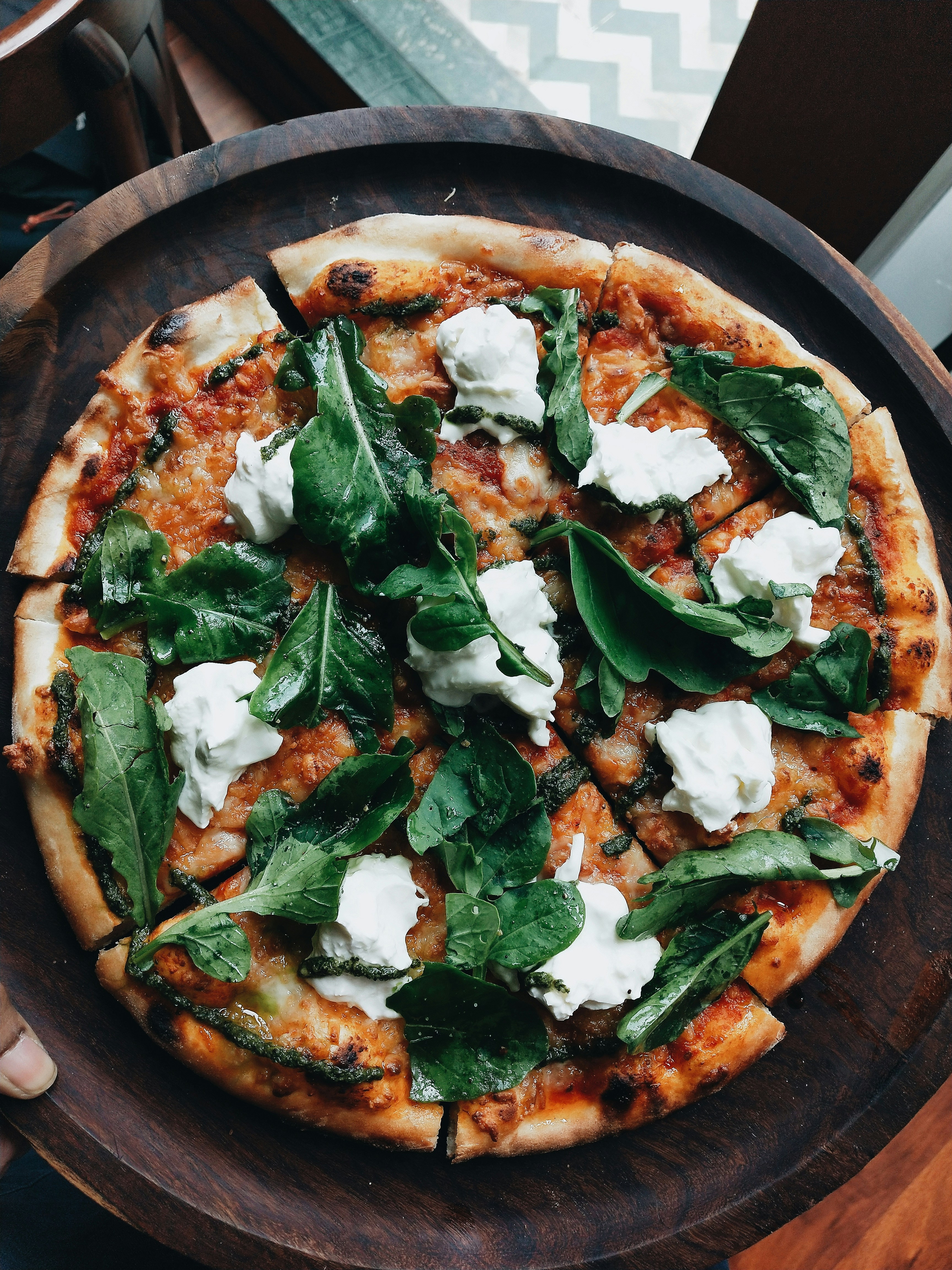
The problem
People want a quick slice — not a phone call and a guess at when food will arrive.
User research surfaced a consistent pattern: customers want a faster, more reliable way to order their pizzas without phone calls, long waits, or confusing menus. Participants put convenience first — they expect a smooth ordering flow, easy customization, and accurate delivery or pickup times. Many also expressed frustration with not knowing the status of their order, and wanted real-time tracking to feel in control.
Loyalty rewards and personalized deals were strong motivators, especially for frequent customers who want recognition for their repeat business. Overall, users were looking for an app that simplifies ordering, highlights Zia's signature quality and freshness, and provides a seamless end-to-end experience from selection to the moment the pizza arrives.
Slow or confusing ordering
Existing flows buried the simple things — choosing a size, customizing toppings, paying — under unclear menus and dead ends.
No real-time order status
Once an order was placed, customers were left guessing. The lack of feedback bred anxiety and re-orders by phone.
Payment friction
Re-entering address and card info every order was a recurring drag — and a frequent reason carts were abandoned at checkout.
Why it matters
Pizza went digital. Trust didn't always follow.
Ordering moved online years ago, but the experience most local pizzerias offer still feels bolted-on — a phone tree wearing an app icon. The opportunity isn't novelty, it's closing the gap between how people already expect to order and what a neighborhood shop can actually deliver.
Figures are illustrative, based on industry estimates on restaurant digital-ordering adoption and delivery-platform economics (National Restaurant Association, Toast, market research aggregators, 2025).
The user
Meet Alex Martinez.
Alex is the customer Zia most needs to reach: busy, social, and one confusing checkout away from ordering somewhere else.
Goals
- Order pizza quickly, with minimal steps.
- Save favorite items for fast reordering.
- Know exactly when the pizza will be ready or delivered.
- Get notified about deals or rewards.
Frustrations
- Not knowing order status after checkout.
- Confusing or slow checkout flows.
- Inaccurate wait times.
- Having to re-enter address and payment info every order.
- Missing out on deals and loyalty rewards.
Does this make the order faster — or does it just add a screen?
The question we asked of every screen in the flow
The process · 01
Started on paper.
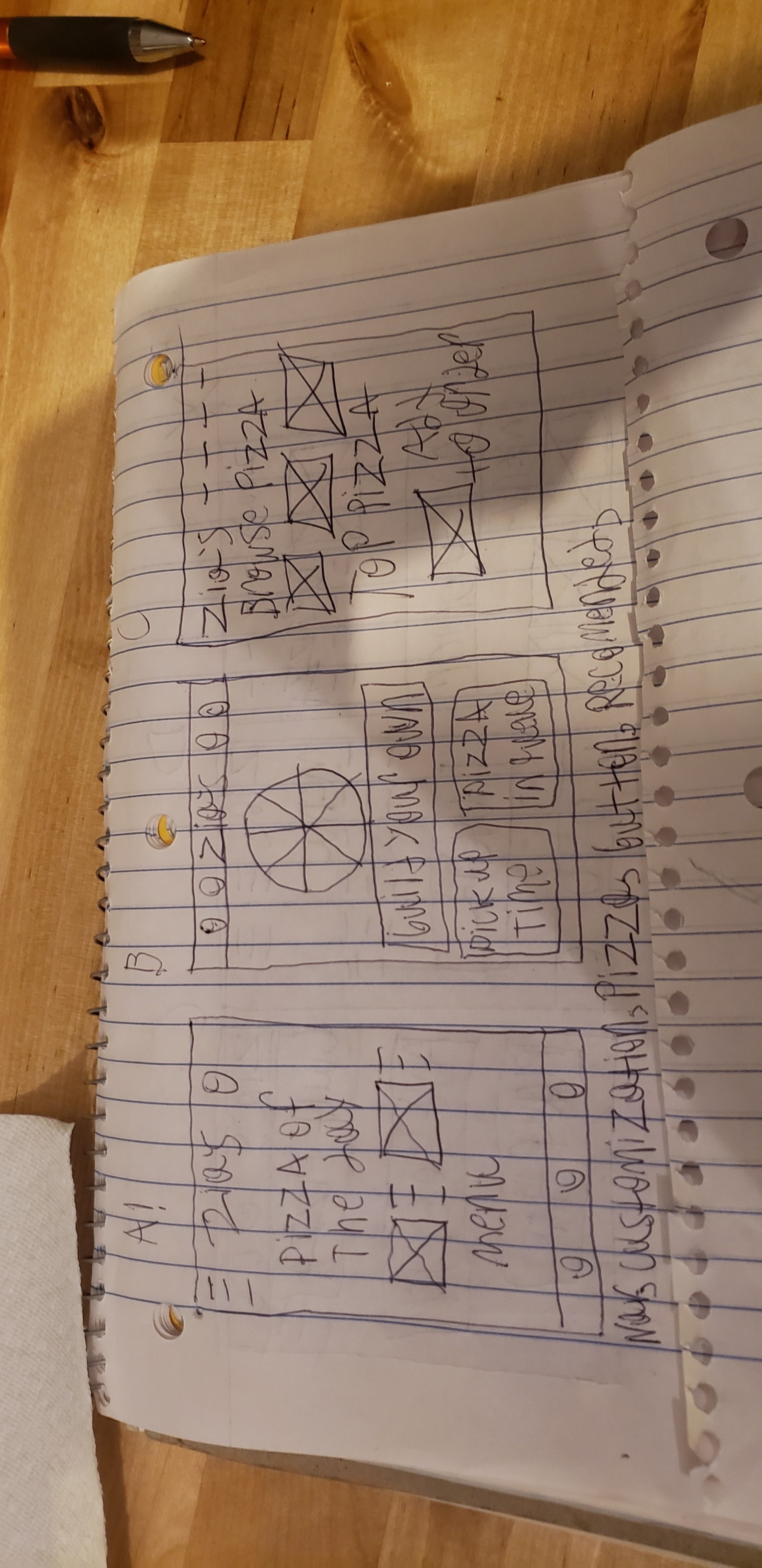
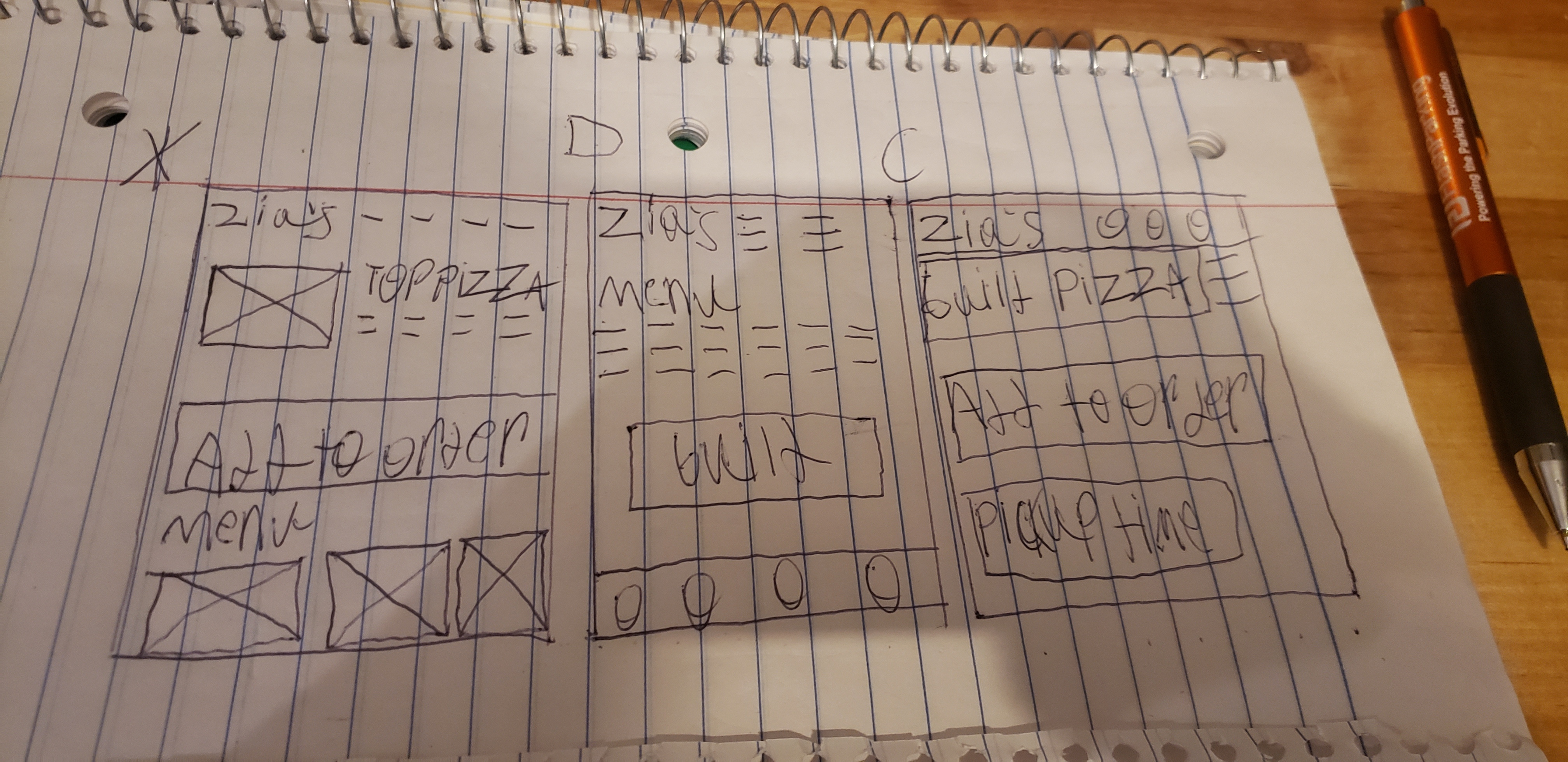
Before opening Figma, I sketched the screens by hand to keep the focus on flow and layout rather than pixel-perfect polish. Each frame was a quick exploration of how to structure the home, menu, and build-your-own pages — testing where the cart, search, and primary CTA should live before committing to any visual direction.
The process · 02
Low-fidelity prototype.
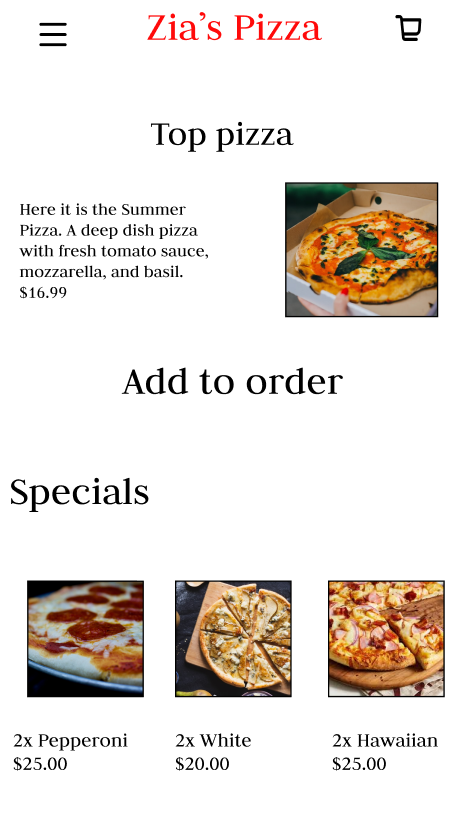
With the rough layouts validated on paper, I moved into a low-fidelity prototype to test the full end-to-end ordering experience. Every core flow got its own screen: browse, choose, customize, check out, and confirm. By laying out the whole journey in lo-fi before any polish, I could push back on screens that didn't earn their place.
 1
2
3
1
2
3
- 1Header — menu, logo, cart, on every screen.
- 2Featured pizza — the daily hero item, with price.
- 3Specials — quick-add combo deals below the fold.
 1
2
3
1
2
3
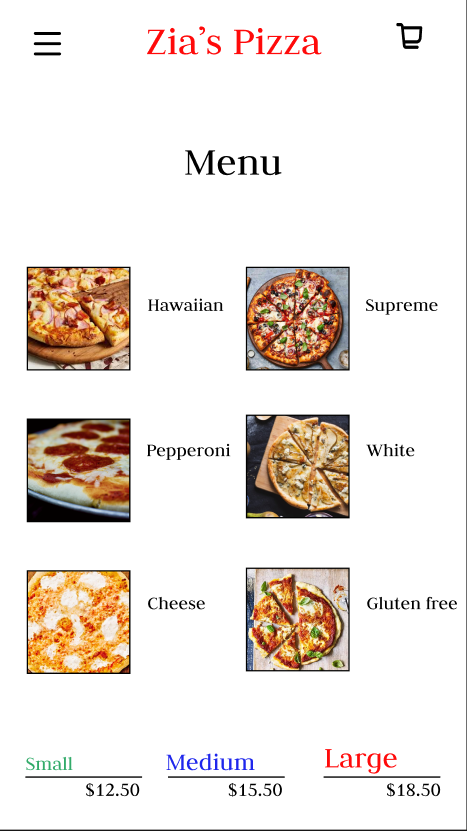
- 1Header — menu, logo, cart, on every screen.
- 2Menu grid — photo and name, tap to view a pizza.
- 3Size & price — small / medium / large, always visible.
 1
2
3
4
1
2
3
4
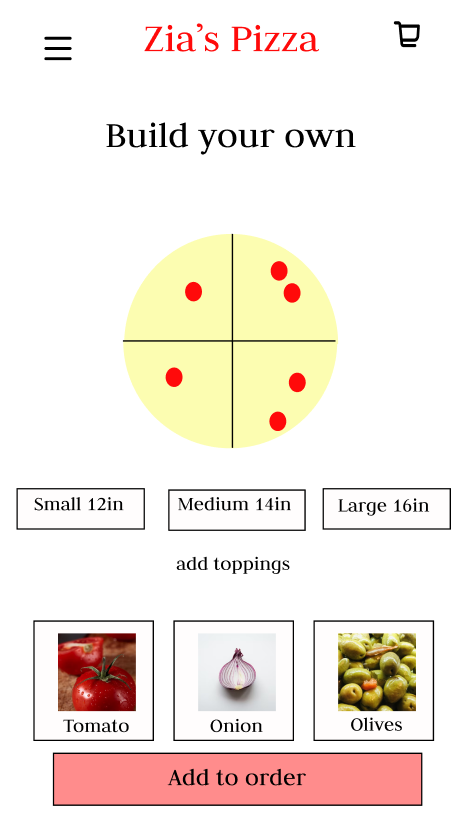
- 1Live pizza canvas — toppings appear where you tap.
- 2Size selector — 12 / 14 / 16 in.
- 3Toppings — tap a card to add it to the pie.
- 4Add to order — the one primary action.
 1
2
3
4
1
2
3
4
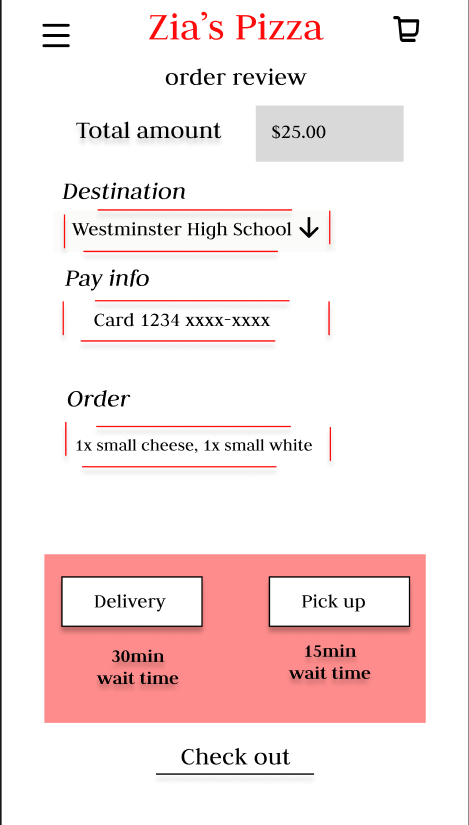
- 1Total amount — the number that matters most, up top.
- 2Destination & pay info — editable inline, no separate screens.
- 3Order summary — what's actually in the cart.
- 4Delivery vs. pickup — wait time shown before you commit.
 1
2
3
1
2
3
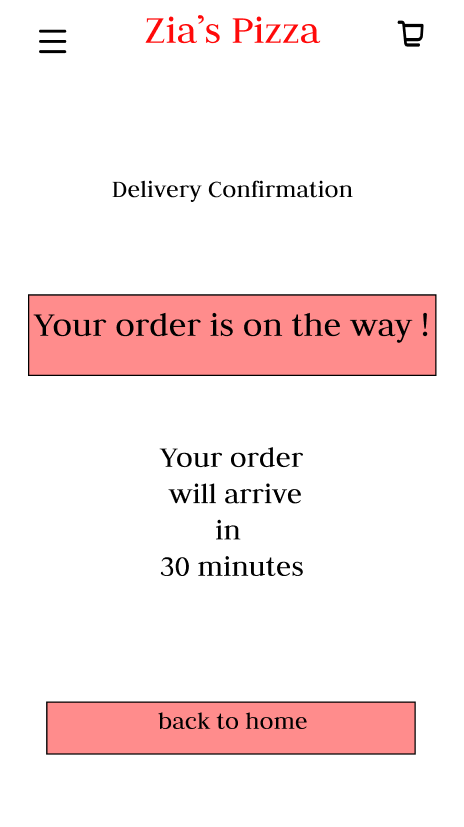
- 1Status banner — plain-language confirmation, not a tracking map.
- 2ETA — an exact wait time, no ambiguity.
- 3Back to home — one tap back to ordering again.
 1
2
1
2
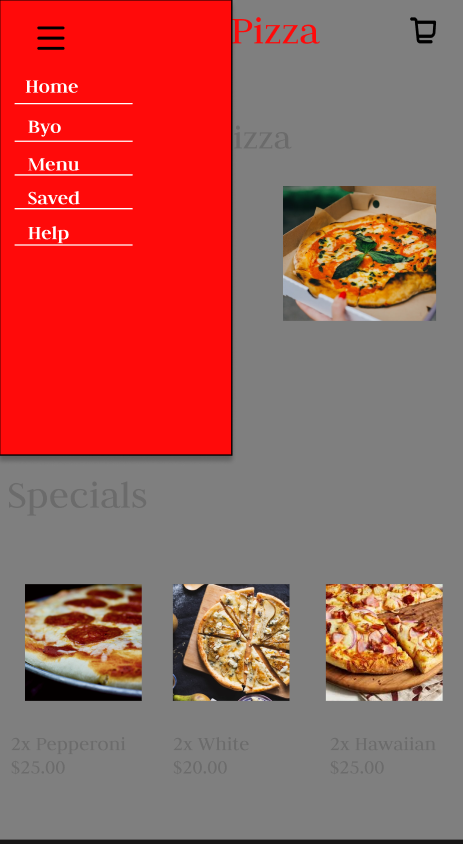
- 1Menu toggle — same hamburger icon as the header.
- 2Slide-out nav — Home, BYO, Menu, Saved, Help — five destinations, no more.
The process · 03
All flows, side by side.
Laid out together, the screens tell the full story: from Home browse and Menu, through Build-Your-Own and Check Out, to Delivery Confirmation, Navigation, About, and Saved orders. Seeing them as a set made the visual rhythm — the recurring header, the consistent CTA color, the same gestures across screens — a deliberate decision rather than a happy accident.

Try it
Interactive prototype.
The live Figma prototype lets you tap through the full ordering flow — browse the menu, build your own pizza, check out, and track delivery. Opens in a new tab — no login required.
Open the live prototype
Home browse · Build-Your-Own · checkout · delivery tracking — the full flow.
Reflection
What worked, what I'd do differently.
What worked
Anchoring every design decision to one of the three research pain points — slow ordering, no status, payment friction — kept the project from sprawling. The Build-Your-Own flow in particular survived several rounds of feedback because we could keep asking "does this make the order faster, or does it just add a screen?"
What I'd revisit
The order-status screen was designed but never really stress-tested against Alex's actual frustration: not knowing when the pizza will show up. Watching someone order while they're actually hungry and distracted would tell us whether "prep → oven → out for delivery" reads at a glance or makes people stop and study it. The loyalty and rewards surfacing stayed light too — it answers "missing out on deals" in principle, but it was never prioritized against the core ordering flow, so it reads as bolted on rather than integrated.